Thumbnail for User Graphic Interface of SAFE 1

User Graphic Interface of SAFE 1

The Golden Brick

Save 7 minutes

Original Video
Summiz
9 min
Original
2 min
with Summiz
5x
faster learning efficiency

Brief summary

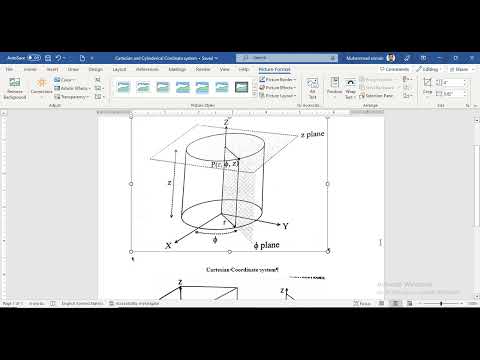
The Golden Brick’s “User Graphic Interface of SAFE 1” explains how to navigate and configure SAFE’s interface, covering model setup, design codes and preferences, grid systems (Cartesian and cylindrical), slab definitions, data import from ETABS, and key interface tools for efficient slab analysis.

Categories with User Graphic Interface of SAFE 1

Table of Contents

Best quote from User Graphic Interface of SAFE 1

The main difference is that when we move our cursor, it will also show you in the three-dimensional (3D) view, as shown in the 3D viewer's red. It will move when you move in the plane view as well.

The Golden Brick
User Graphic Interface of SAFE 1 cover

Add these3key ideas to your library

You can also export toNotion Notion,Obsidian Obsidian orMarkdown Markdown.
500+ Summaries
Access our growing library of high-quality content summaries
200+ Users
Join our community of dedicated learners and knowledge seekers
Loved Product
Everyone who has tried Summiz is delighted with the results
Quick Takes are free, forever. No billing setup required.
or
Generate free study notes from any YouTube video